About PIIE
Every day, sensitive personal information sits hidden inside thousands of digital documents, often without anyone realizing the risk. PIIE is a desktop application developed to help users identify sensitive personal information within large collections of files. The application scans text, Word, and PDF documents to locate personally identifiable information allowing users to better understand potential data exposure. All processing occurs locally to preserve data privacy and security. The system uses a modular architecture consisting of a Python-based backend, a PyQt graphical interface, and automated packaging into executable programs. The machine learning model used for detection was created and trained locally to meet project-specific requirements. Results are produced in structured log files designed to scale beyond individual use and support integration with enterprise security tools, such as SIEM platforms. By combining accessibility, security, and scalability, this project demonstrates a practical and enterprise-ready approach to strengthening data privacy and information security awareness.
Instructions to get started
- To get started with PIIE, please visit here and click whichever icon you use as an operating system to download the software
- Download the MSI, then run.(Please be aware neither Microsoft nor Apple recognise us and that the computer will warn you about downloading this application before allowing it. The install is safe, however it is not professionally bugtested)
- When done loading, you will see the options scan for file or scan from directory
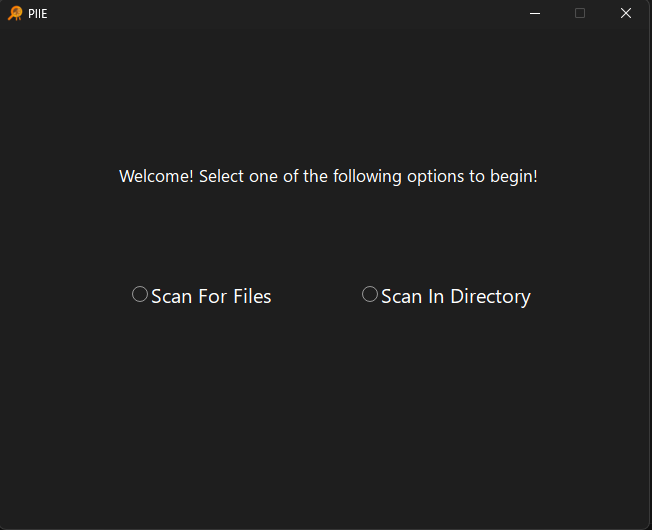
Scan from File
Scan from file should be selected when you want PIIE to scan a single file from a folder
- Click on the scan from file option
- Click browse to search for the file in file explorer or type in the file path of the file you want checked
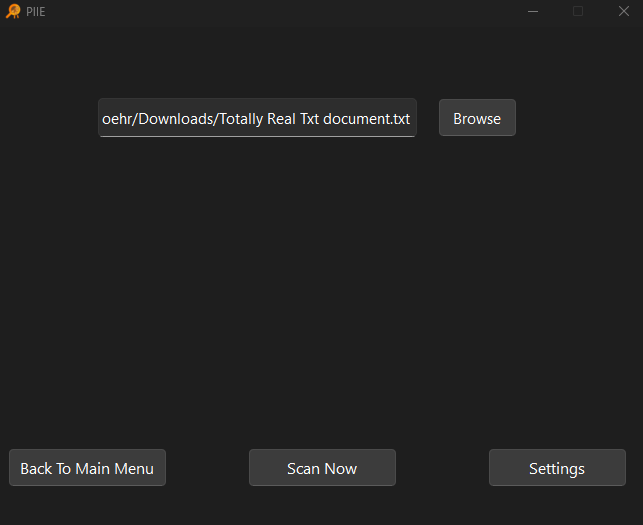
- Click Scan Now
- Once done, there will be a results screen that will display any PII found there
*Please see Documentation for more information on the results screen
Scan From Directory
Scan from directory should only be selected when an entire folder is the target. Please be aware that this can scan your entire C drive, and will probably crash if allowed to do so. Exercise caution when utilizing this feature
- Click on the Scan In Directory option
- Click Browse and navigate to the folder you want
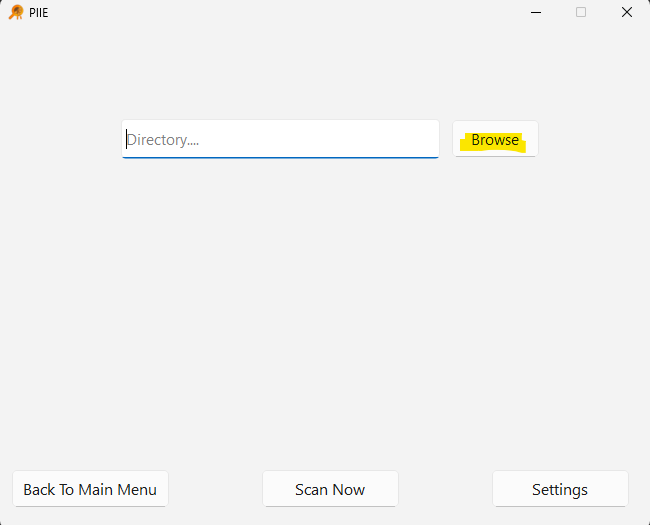
- Click Scan now once confirmed
- Once done, there will be a results screen that will display any PII found there
*Please see Documentation for more information on the results screen